Alternate product form locations
Because of the different Shopify theme, the product.liquid may not contain the <form> or {% form 'product' tags. Follow these steps to locate the correct section of code.
1. Click on the Snippets and Sections folders to show the files contained within them.
2. Within your Templates, Snippets, and Sections folders look for a file with one of the following names:
- product-template.liquid
- product-form.liquid
- form.liquid
- short-form.liquid
- single-product-form.liquid
3. Open the file, then search (ctrl or command + F) for <form.
4. Once you've found it, click on it to highlight both <form> tags. This designates the section where you will paste the code (in the image below, the <form> consists of lines 145).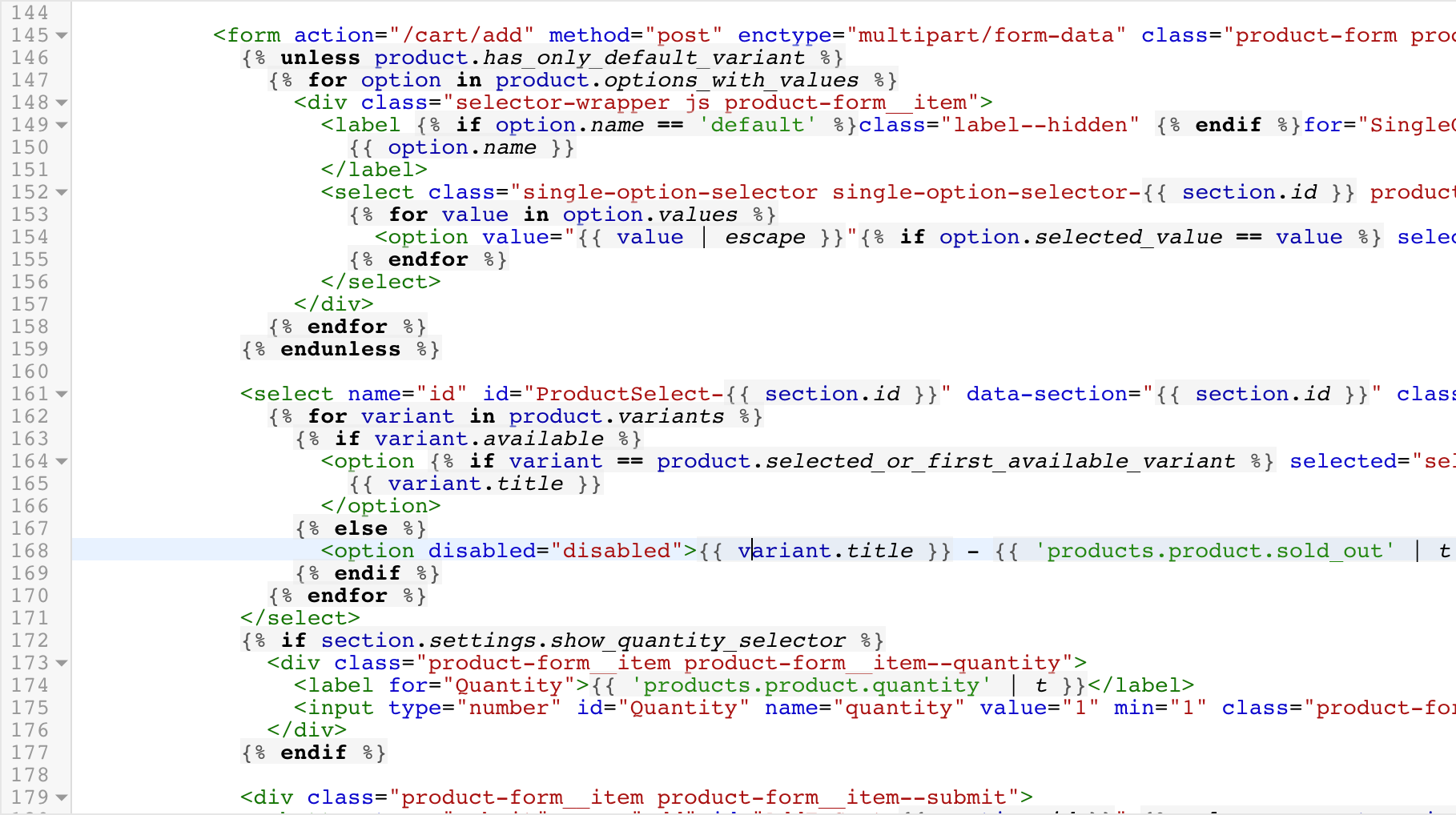
Continue embedding the code here.
Related Articles
Adding the code to Collection page or product grid
This feature only works if you have upgraded NEON to the basic plan. Simply copy the Collection code available in NEON and paste it in the product-card-grid.liquid file. For more information, we have list out the possible liquid file if it's not in ...Embedding the NEON code
Before you can start using the NEON tag on your online store, you need to embed the code which you can from your NEON dashboard. Embedding the code on the product page. 1. Start by copying the code snippet provided. <div id="neon-stock-info-widget" ...NEON Privacy Policy
NEON Privacy Policy NEON "the App” provides sold count to increase conversion rate "the Service" to merchants who use Shopify to power their stores. This Privacy Policy describes how personal information is collected, used, and shared when you ...Need help inserting code for you?
If you ever need help inserting the code for you, please follow these step: 1. Create a staff account for neon@stock-sync.com with Themes permission 2. Contact support through email or create a ticket and request where you want to put the tag on your ...Welcome to NEON
NEON allows you to display sold count on your products' page. This will increase your customers' confidence to buy your product. NEON has a very simple dashboard where you will be able to do everything from loading order/s to configuring the NEON ...