Determining the end of test?
End Goal
No End-Date: These tests will run indefinitely until you “Select a Winner” or “Pause/deactivate” the test.
Visitor Count: You specify the amount of visitors each variant will need to achieve (at a minimum) to end the test.
Custom Parameters: Define custom test parameters to create a custom sample size/visitor goal that each test variant must achieve before the test is considered complete (and variant changes no longer occur):
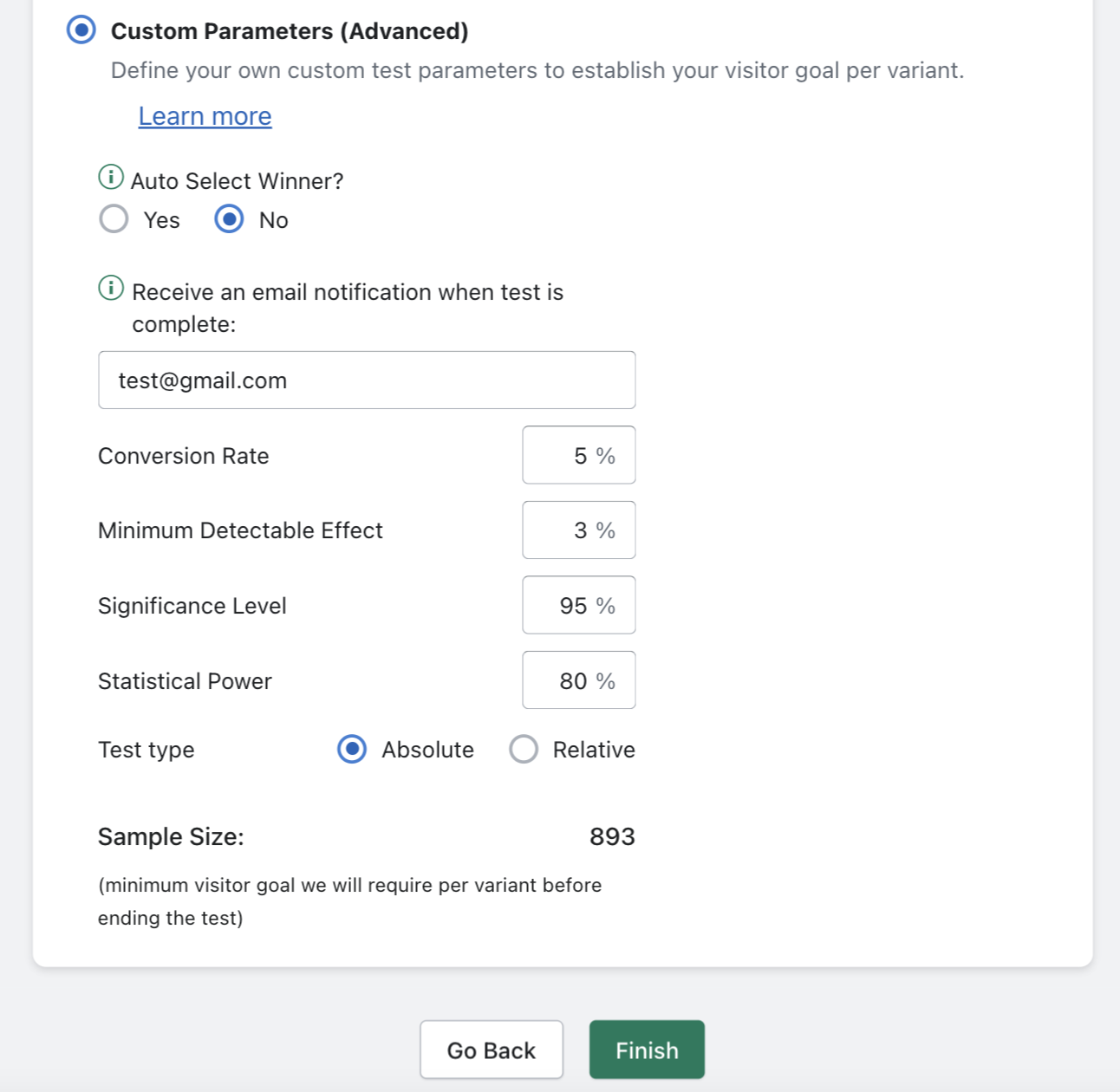
This feature is best suited for store owners who have very clear objectives with their A/B Testing needs and want to ensure their tests are ran in a statistically significant manner. See this article to learn more about statistically significant A/B Testing:
https://www.invespcro.com/blog/how-to-analyze-a-b-test-results/
Related Articles
What are Custom Parameter End Goal tests?
Custom Parameter tests allow you to fine tune the following variables below so that you can pinpoint the exact sample size (visitor goal) which each variant must achieve for the test to become complete: Test Conflict/New Test Conflict?
If you received a test conflict error, this means that you are trying to schedule or run more than one test at a time for the same product. Running or scheduling more than one test for the same product can lead to multiple variable changes during the ...How many test variants can I create per test?
“Free” plan subscribers can test up to 2 variants per test. “Basic” plan subscribers can test up to 3 variants per test. “Premium” & “Enterprise” plan subscribers can test up to 6 variants per test. See additional plan details here.Setting up Test Variants?
On the right portion of the “Variants” page is where you configure different variations of: Prices, Images, Titles, or Descriptions, depending on what type of test you are running: syncX: A/B Testing will automatically cycle through all the ...What do the test analytics mean?
Avg Revenue Per View: The average revenue generated by a single view for a given test variant. This is the default metric used to determine the winning variation for Image, Title, and Description tests. Avg Profit Per View (only available for Price ...