Preferences
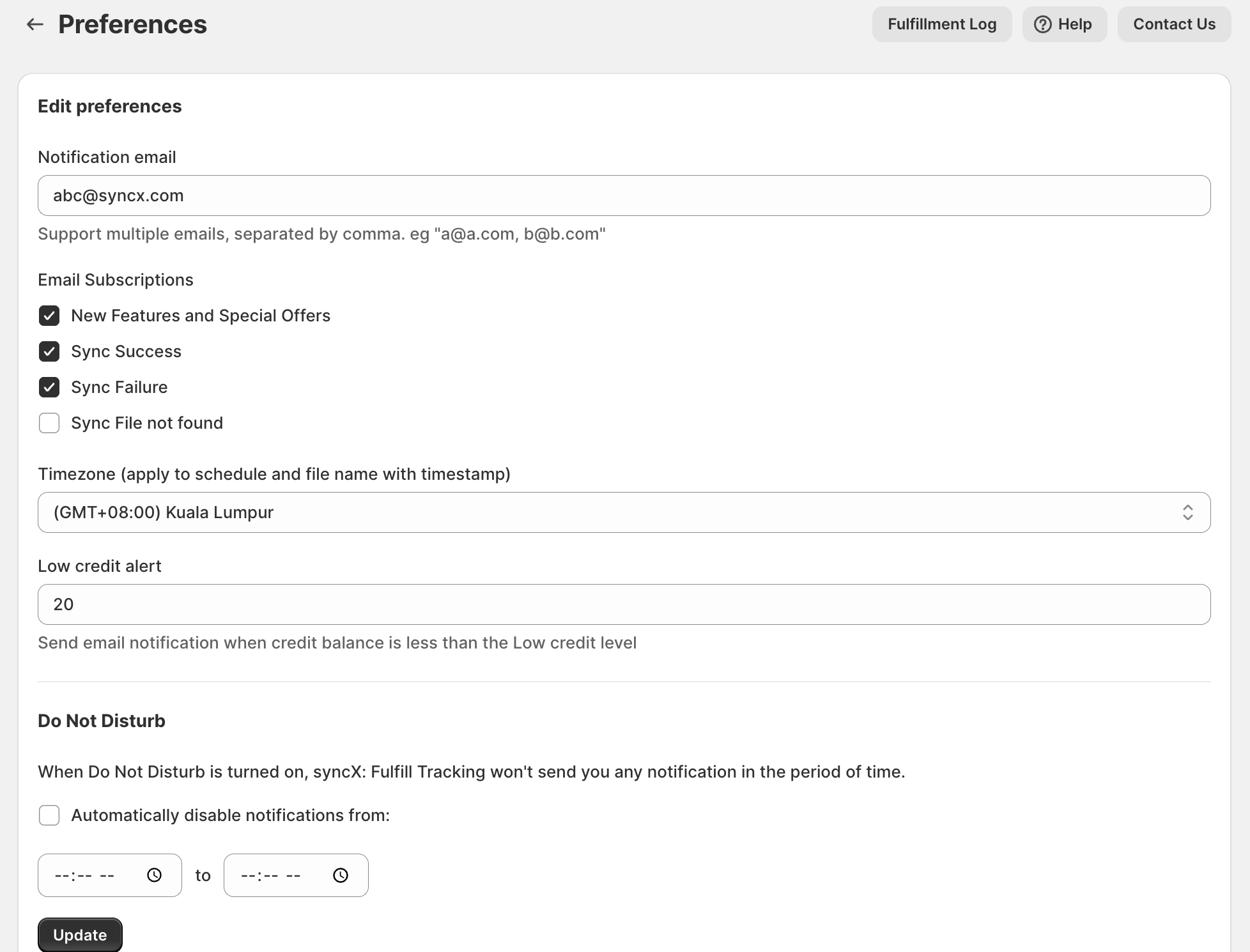
- Notification email
Provide the email that you would like to receive the notification, it supports multiple emails, separated by a comma. eg "abc@123.com, b2b.com" - Email subscriptions
Choose the subscriptions that you would like to enable to receive the notifications. - Timezone
Choose the timezone that you would like to set up. - Low credit alert
Set up low credit alerts to receive email notifications when your credit balance falls below the specified level. - Do not disturb
Use Do Not Disturb to silence notifications within a specified timeframe by enabling automatic disabling.
Related Articles
Why syncX: Fulfill Tracking queuing take so long?
The Queuing duration is determined by the number of processes running in the background. You might notice sometimes your process runs within minutes while sometimes it will take an hour. This is because there are many other users are in the queuing ...