Highlighting Best Performing Variants?
Once a test starts receiving activity, Optimal A/B will automatically highlight the best performing variant in green:
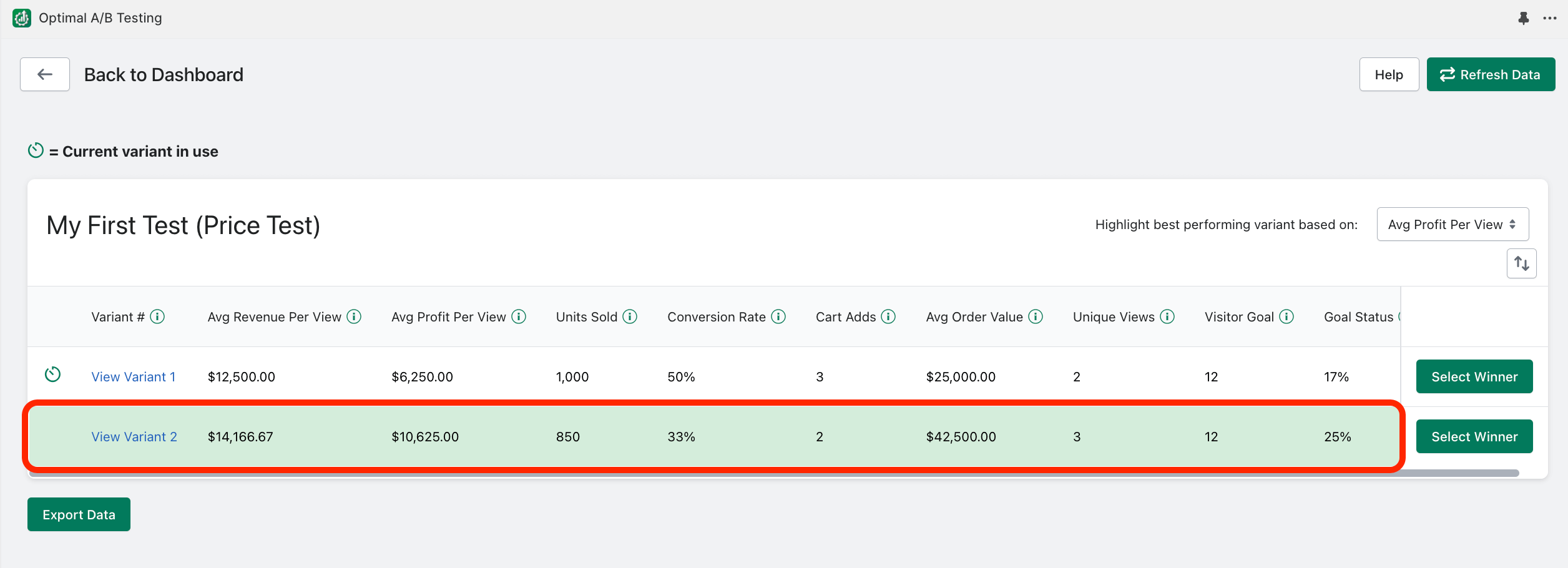
Price tests will default to highlighting the test variant with the highest “Average Profit Per View”.
All other tests will default to highlighting the test variant with the highest “Average Revenue Per View”.
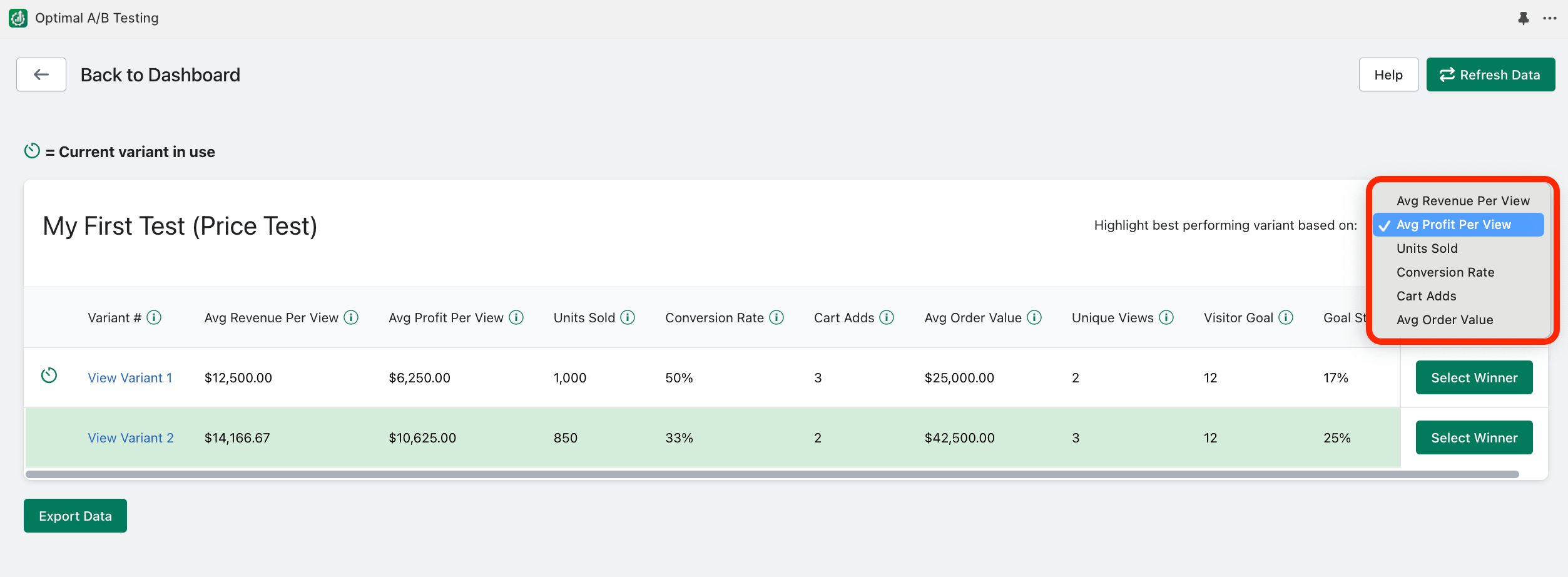
You can also change which variant is highlighted in green to indicate the best performing variant using other metrics:
Related Articles
Setting up Test Variants?
On the right portion of the “Variants” page is where you configure different variations of: Prices, Images, Titles, or Descriptions, depending on what type of test you are running: syncX: A/B Testing will automatically cycle through all the ...How many test variants can I create per test?
“Free” plan subscribers can test up to 2 variants per test. “Basic” plan subscribers can test up to 3 variants per test. “Premium” & “Enterprise” plan subscribers can test up to 6 variants per test. See additional plan details here.How often should I have syncX: A/B Testing change variants?
If you are running a paid promotion campaign to drive traffic to certain product pages on your website, it is important to select a change frequency that will allow adequate visitor exposure to each test variant. For example, choosing a “Daily” ...How to run Title tests?
Identify the product “Title” for your product listing that captures your visitor’s interest the best. syncX: A/B Testing will calculate: (revenue)/(views) for each title you want to test against. This will help you determine which Title generates the ...How to run Description tests?
Identify the product “Description” for your product listing that captures your visitor’s interest the best. syncX: A/B Testing will calculate: (revenue)/(views) for each description you want to test against. This will help you determine which ...