How does "Selecting Winners" work?
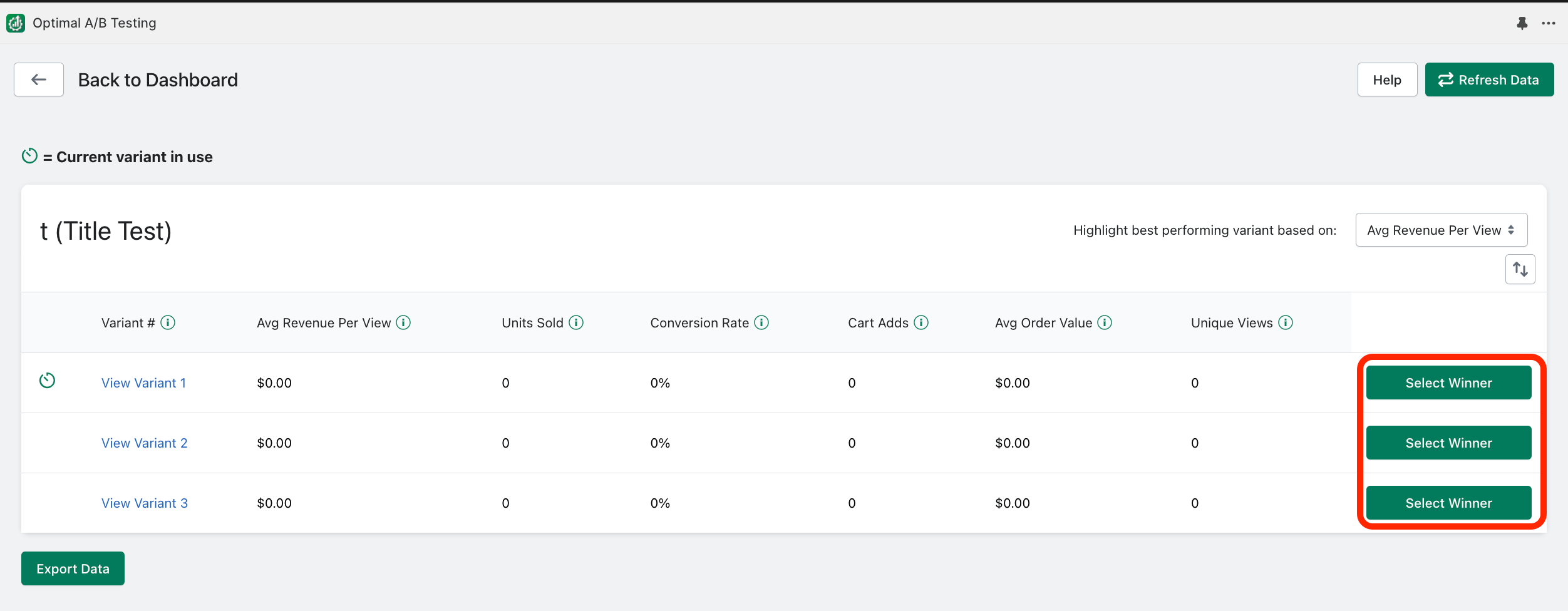
If a test has already started running (currently or at some point), you can “Select a Winner”. Selecting a winner will end running tests and immediately change the product listing to the selected variant. This variant will remain indefinitely unless you re-activate the test later or change the product listing outside of the app. To select a winner, click “View Results” and then “Select Winner”:
Related Articles
Naming tests and selecting products?
Naming Tests: Creating a descriptive name for your A/B test will help ensure you will be able to quickly identify key elements of the test at a quick glance. Customers will not see the test name; its only purpose is to assist you in keeping track of ...Selecting a start time?
syncX: A/B Testing changes your product listings on a scheduled interval. If your test starts or is scheduled to start at 8:30 PM for example, and you select a change frequency of 12 hours, the app will alternate between changing your product listing ...