How to use syncX: SKU & Barcode Scan available shortcuts?
syncX: SKU & Barcode Scan now supports shortcut keys!
You no longer need to manually select the update method or quantity each time you scan or input a barcode.
Available Shortcut Keys:
+ : Increment
- : Decrement
= : Set Quantity
How to Use:
Enter the quantity followed by the symbol and then the barcode or SKU in the input field.
Examples:
To increment barcode
ABC212941by 10: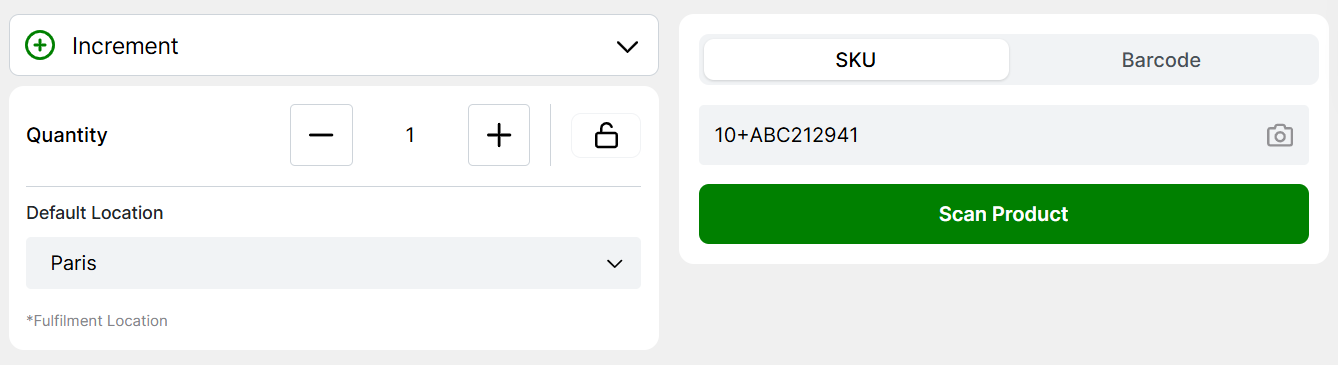
To decrement barcode
ABC212941by 5: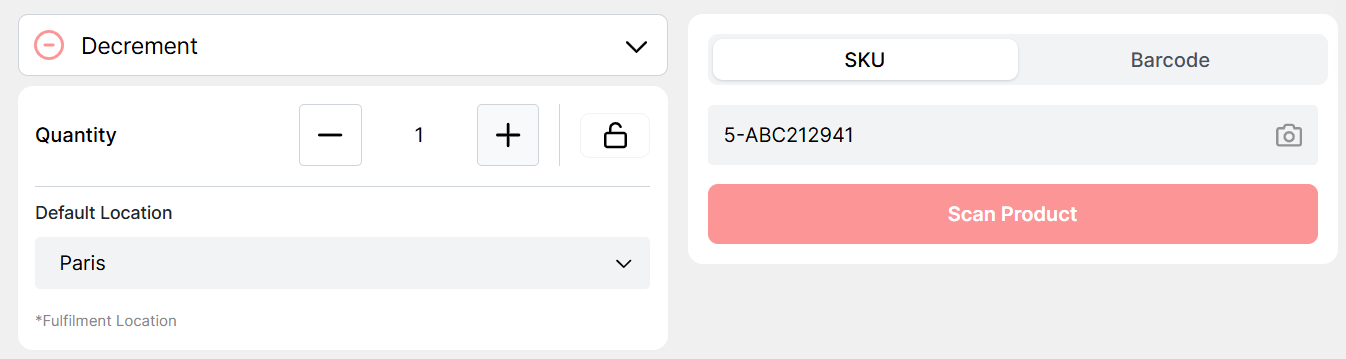
To set the quantity of barcode
ABC212941to 8: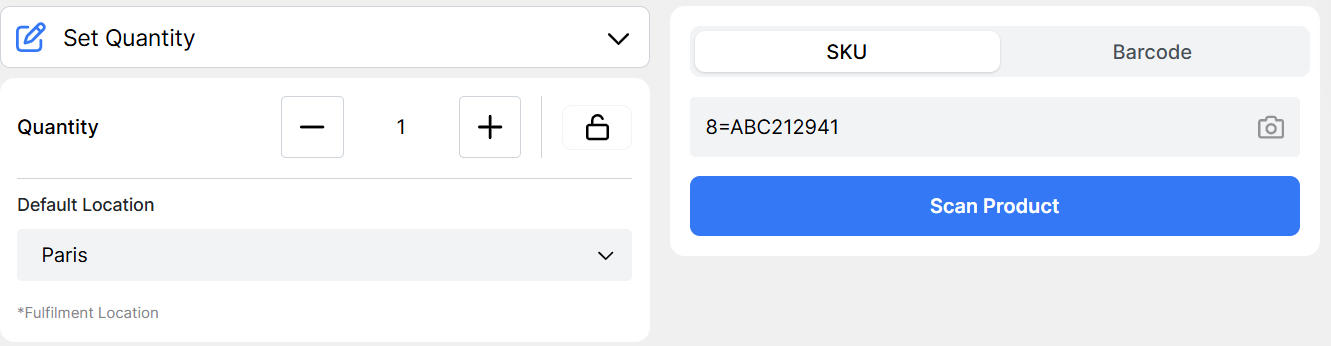
Related Articles
Check your barcode scanner compatibility with syncX: SKU & Barcode Scan
If your barcode scanner isn’t working with syncX: SKU & Barcode Scan, it’s likely due to improper configuration. To test your scanner, follow these steps: Open Notes (Mac) or Notepad (Windows) on your computer. Use your scanner to scan any physical ...How to use a barcode scanner with syncX: SKU & Barcode Scan?
syncX: SKU & Barcode Scan is compatible with all standard barcode scanners. To begin using a scanner with Quick Scan, simply follow these steps: Connect your barcode scanner to your PC or laptop via USB or Bluetooth. Ensure your scanner is properly ...Using your device as barcode scanner with syncX: SKU & Barcode Scan
Quick Scan now includes an in-app barcode scanner, allowing you to use your device’s camera to scan product barcodes directly. This feature is supported on most desktop and mobile browsers. On iPads and iPhones, the in-app scanner is currently only ...Change inventory location on syncX: SKU & Barcode Scan
syncX: SKU & Barcode Scan supports Shopify's multi-location feature, allowing you to update stock levels across different locations. Select the desired location from the dropdown menu in the top-right corner of the syncX page to apply stock updates ...syncX: SKU & Barcode Scan billing charges and issue
Your billing date for syncX: SKU & Barcode Scan starts on your subscription date. Fees are charged on a standard 30-day invoice cycle. Charges are pro-rata, so upgrading users won't lose time on their current plan, and their limits will be raised ...