Can I "Re-activate" tests?
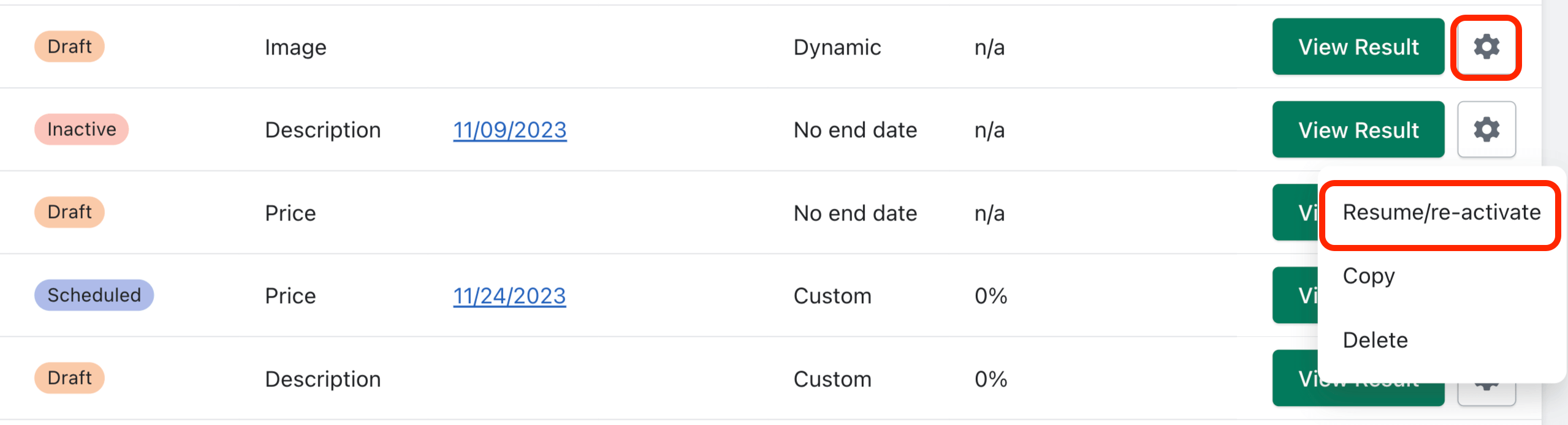
You can only “Resume/re-activate” tests that have not reached their visitor goal yet. Re-activating a test will cause it to resume cycling through your test variants and we will start collecting data again for each test variant. Click the gear icon to resume/re-activate the test:
Related Articles
Pausing/ Deactivating Tests?
Click the gear icon of a running test to find the “Pause/Deactivate” option: Pausing a test causes the test to indefinitely stop cycling through test variants and we will stop collecting data for the test. To pause the test, you will need to tell ...How does "Selecting Winners" work?
If a test has already started running (currently or at some point), you can “Select a Winner”. Selecting a winner will end running tests and immediately change the product listing to the selected variant. This variant will remain indefinitely unless ...How do I "Edit" tests?
You can only edit tests that have not started running yet (apart from the test name). This would include tests with a status of “Draft” and tests with a status of “Scheduled”. To edit a test, you will find the option under the gear icon: Naming tests and selecting products?
Naming Tests: Creating a descriptive name for your A/B test will help ensure you will be able to quickly identify key elements of the test at a quick glance. Customers will not see the test name; its only purpose is to assist you in keeping track of ...What are Custom Parameter End Goal tests?
Custom Parameter tests allow you to fine tune the following variables below so that you can pinpoint the exact sample size (visitor goal) which each variant must achieve for the test to become complete: