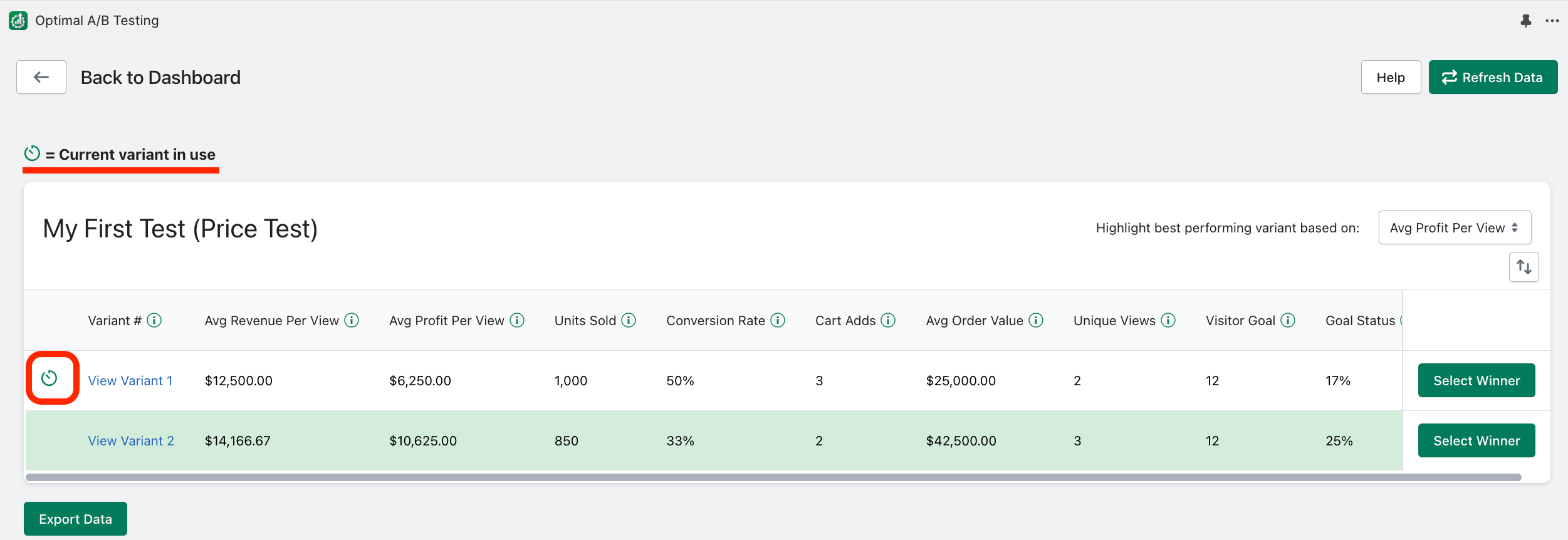
Current Variant in use indicator?
The “Current variant in use” icon lets you know which test variant is currently in use on your product listing:
Related Articles
How do I "Delete" tests?
Click the gear icon to find the “Delete” test option: Deleting a test will clear all data and test variants associated with that test. When you select to delete a test, you will need to tell our app if we should revert the product listing back ...Pausing/ Deactivating Tests?
Click the gear icon of a running test to find the “Pause/Deactivate” option: Pausing a test causes the test to indefinitely stop cycling through test variants and we will stop collecting data for the test. To pause the test, you will need to tell ...View Variant Links?
The “View Variant” link allows you to quickly view how each test variant was setup: How to run Title tests?
Identify the product “Title” for your product listing that captures your visitor’s interest the best. syncX: A/B Testing will calculate: (revenue)/(views) for each title you want to test against. This will help you determine which Title generates the ...How to run Description tests?
Identify the product “Description” for your product listing that captures your visitor’s interest the best. syncX: A/B Testing will calculate: (revenue)/(views) for each description you want to test against. This will help you determine which ...