View Variant Links?
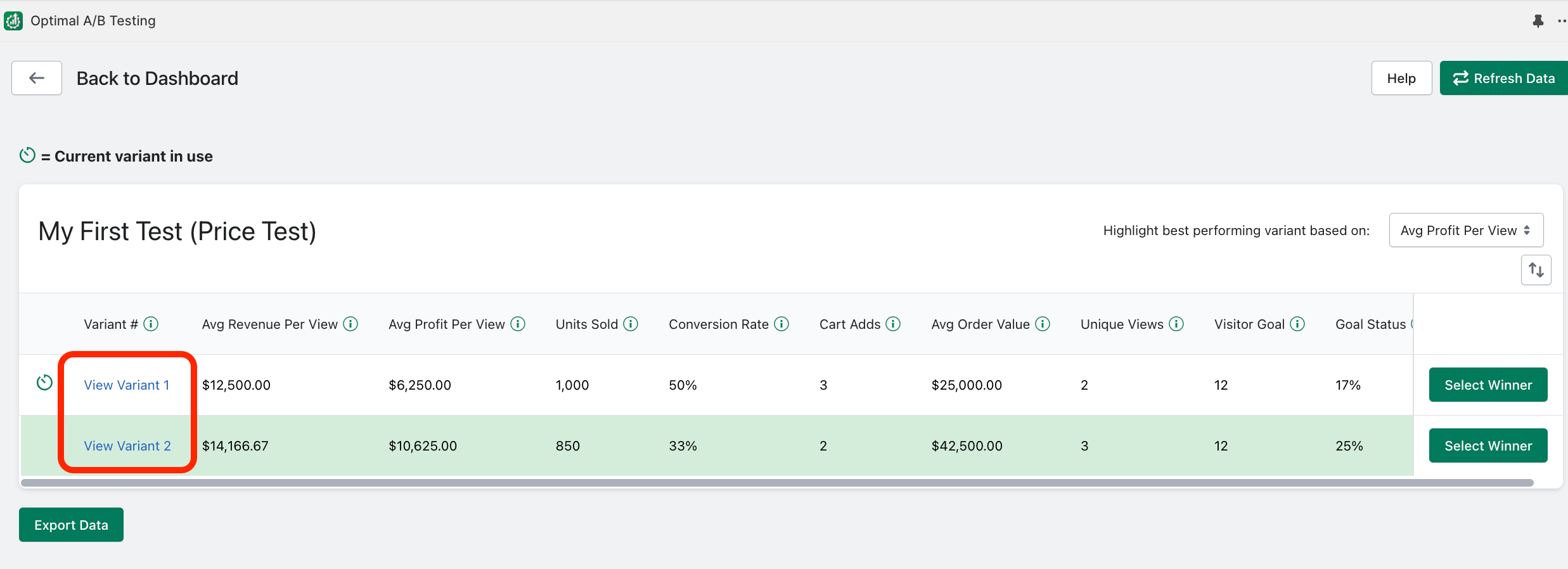
The “View Variant” link allows you to quickly view how each test variant was setup:
Related Articles
Current Variant in use indicator?
The “Current variant in use” icon lets you know which test variant is currently in use on your product listing: Highlighting Best Performing Variants?
Once a test starts receiving activity, Optimal A/B will automatically highlight the best performing variant in green: Price tests will default to highlighting the test variant with the highest “Average Profit Per View”. All other tests will ...What do the test analytics mean?
Avg Revenue Per View: The average revenue generated by a single view for a given test variant. This is the default metric used to determine the winning variation for Image, Title, and Description tests. Avg Profit Per View (only available for Price ...Calculate Campaign Costs for Analytics?
When viewing a specific UTM Campaign on the Enterprise plan, if you click “Paid Campaign Settings”: A window will appear where you can indicate if you have campaign costs associated with the marketing campaign. Here the total campaign cost and ...How does "Selecting Winners" work?
If a test has already started running (currently or at some point), you can “Select a Winner”. Selecting a winner will end running tests and immediately change the product listing to the selected variant. This variant will remain indefinitely unless ...