Paypal sync tracking info
syncX: Easy Fulfill Tracking is able to sync the tracking info of orders that are fulfilled (with Easy Fulfill Tracking) to PayPal.
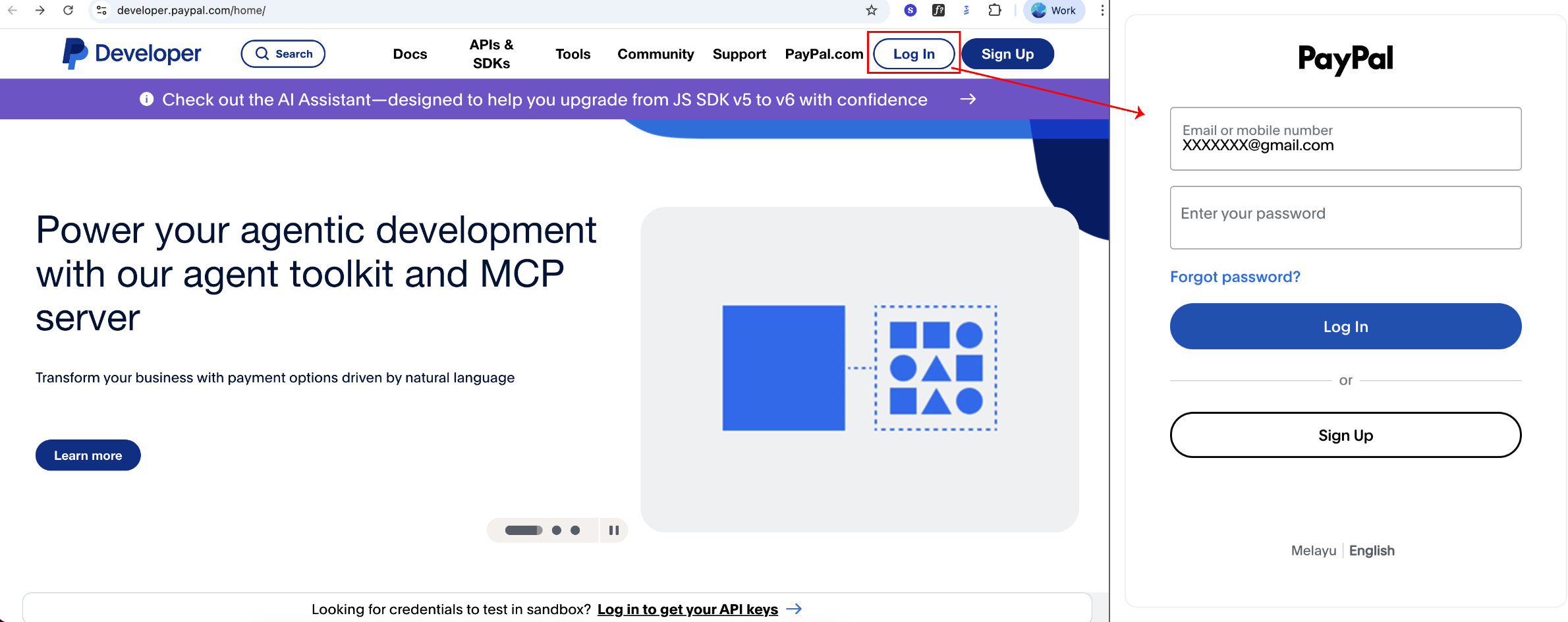
1. Navigate to https://developer.paypal.com/ and login with your Paypal account.
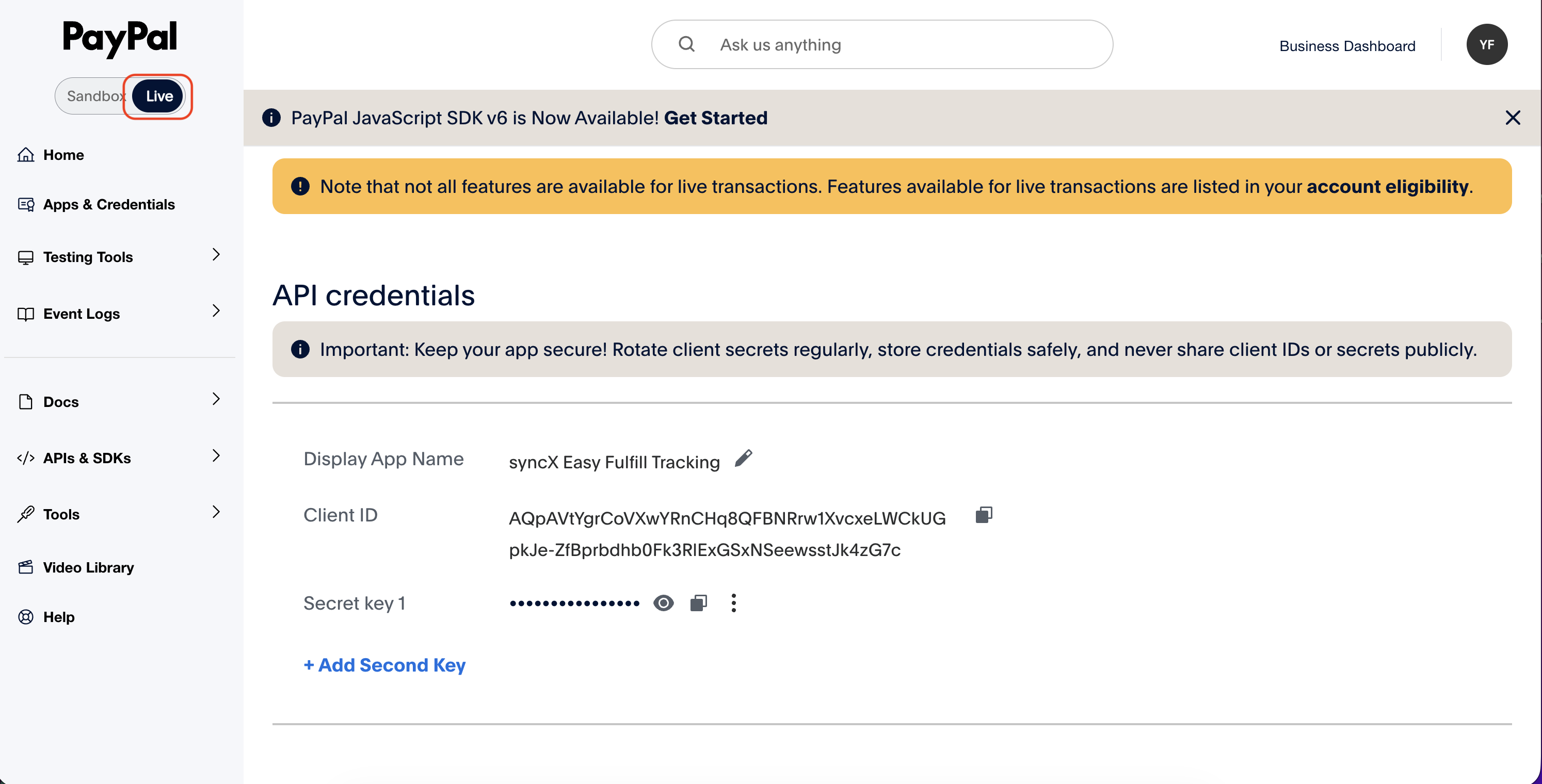
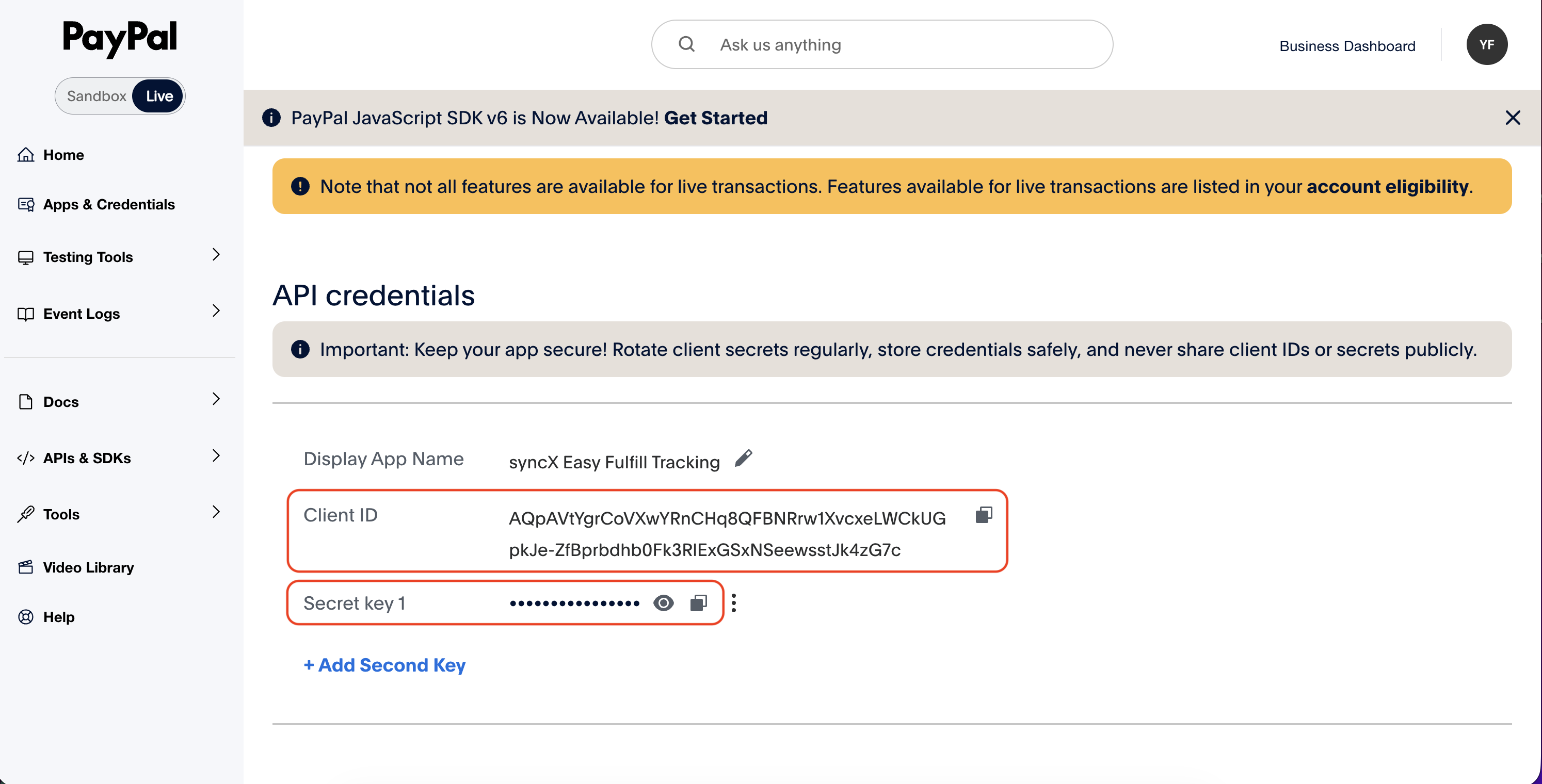
2. Navigate to the Live section to view Apps & Credentials.
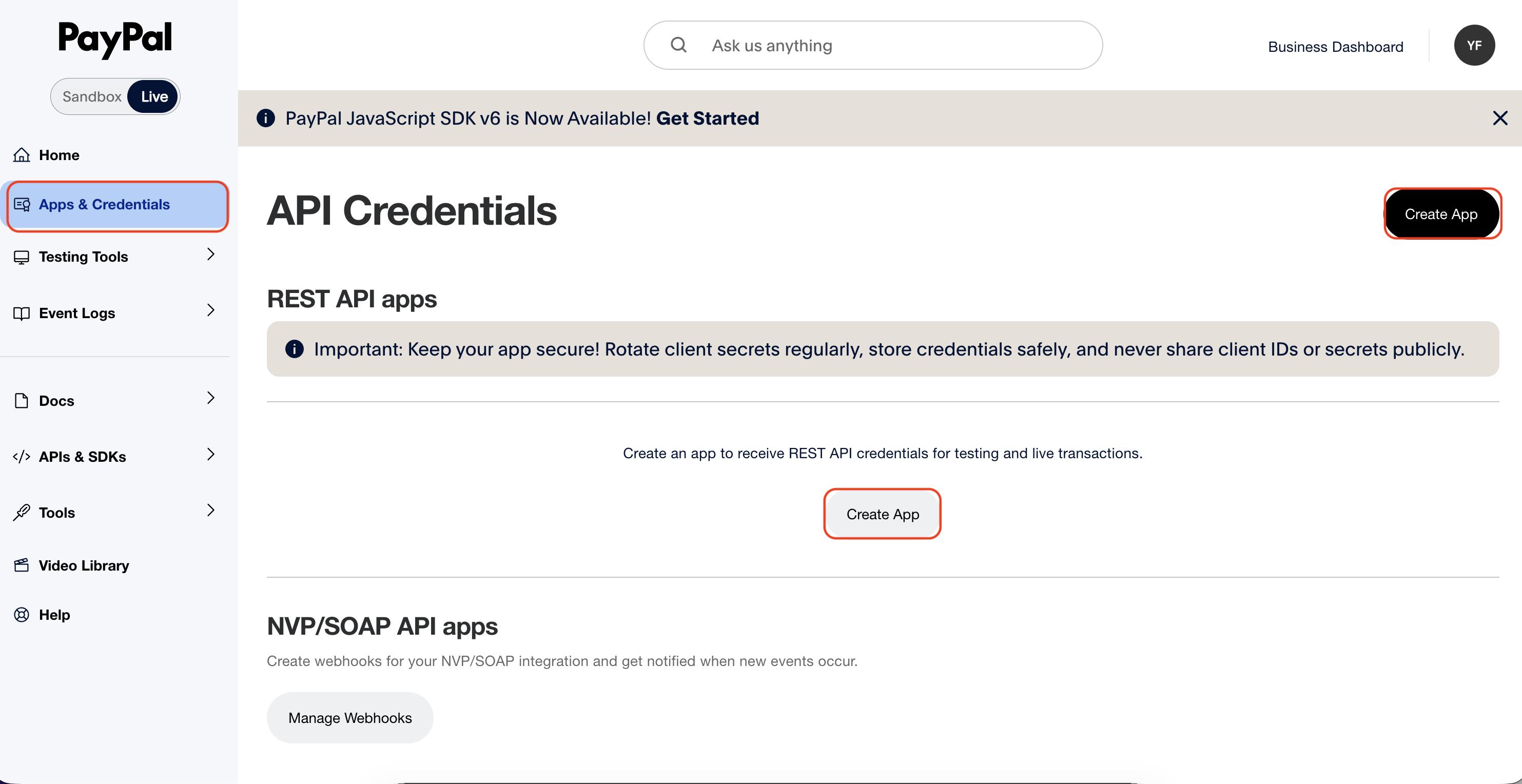
3. In My Apps & Credentials, click on Create App.
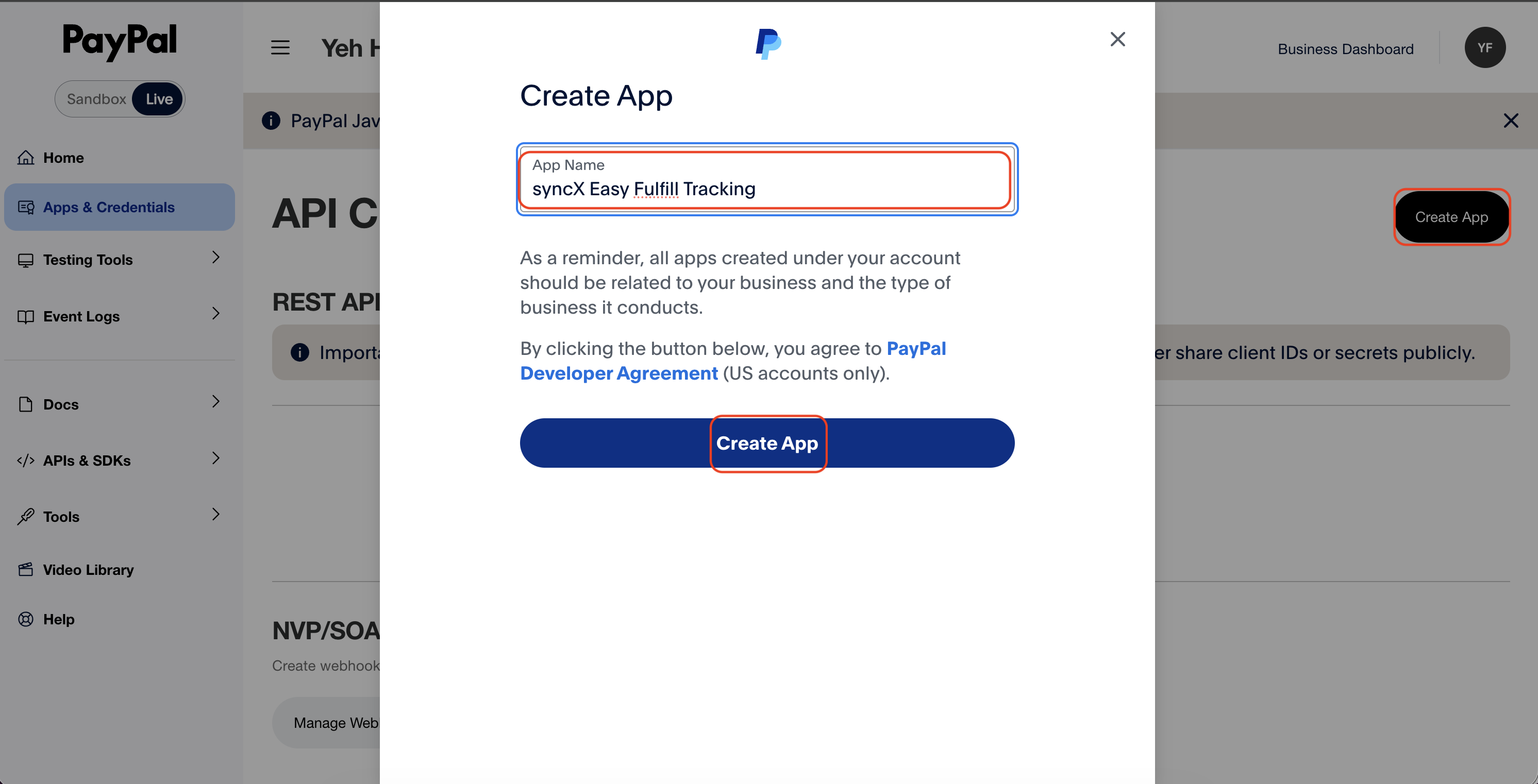
4. In Create App, enter the App Name as syncX Easy Fulfill Tracking and click on Create App.
5. Copy the Client ID and Secret.
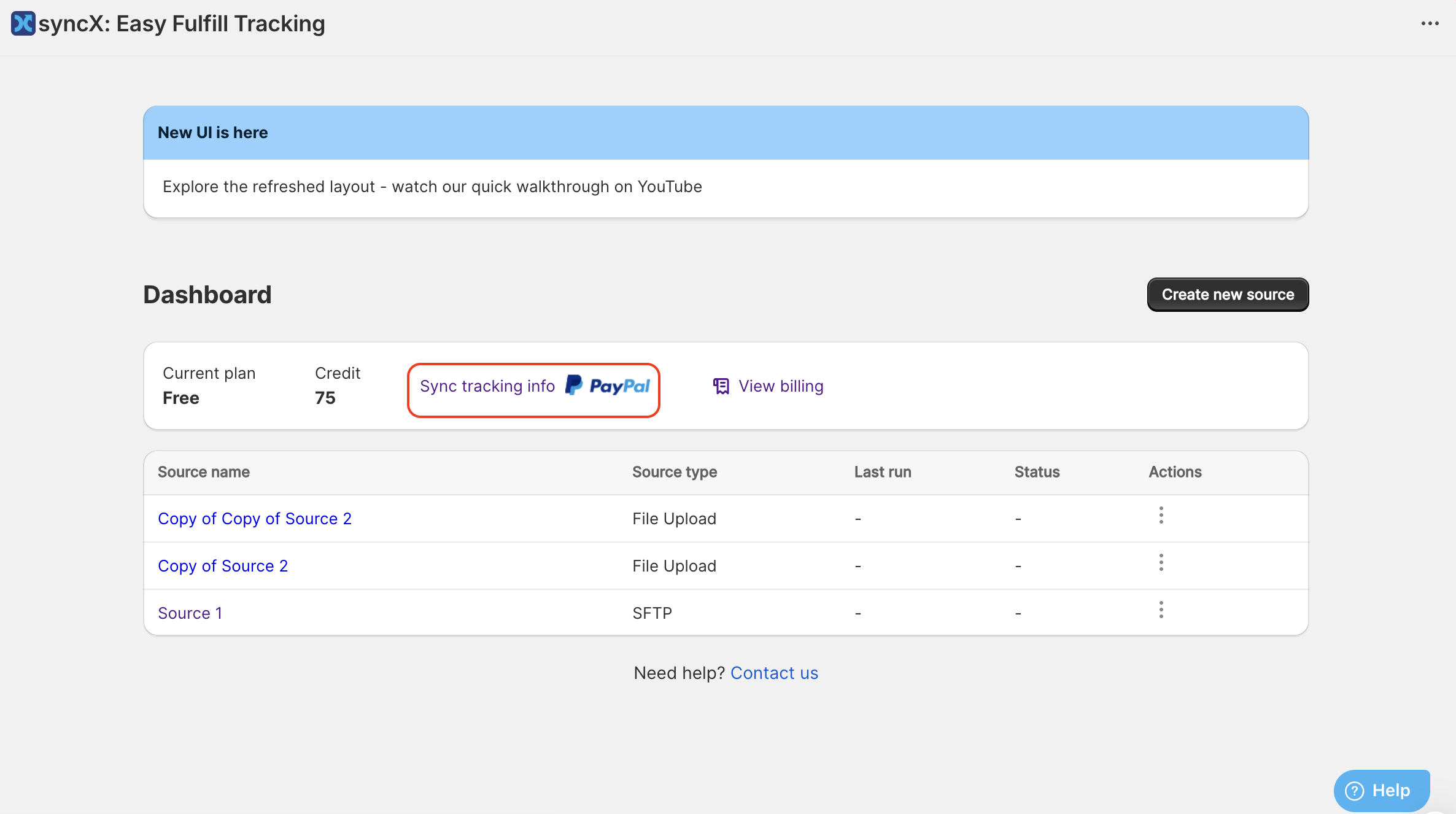
6. Open syncX: Easy Fulfill Tracking app and click on the Sync Tracking info to PayPal.
7. Paste the Client ID and Secret in the respective fields and click Save.
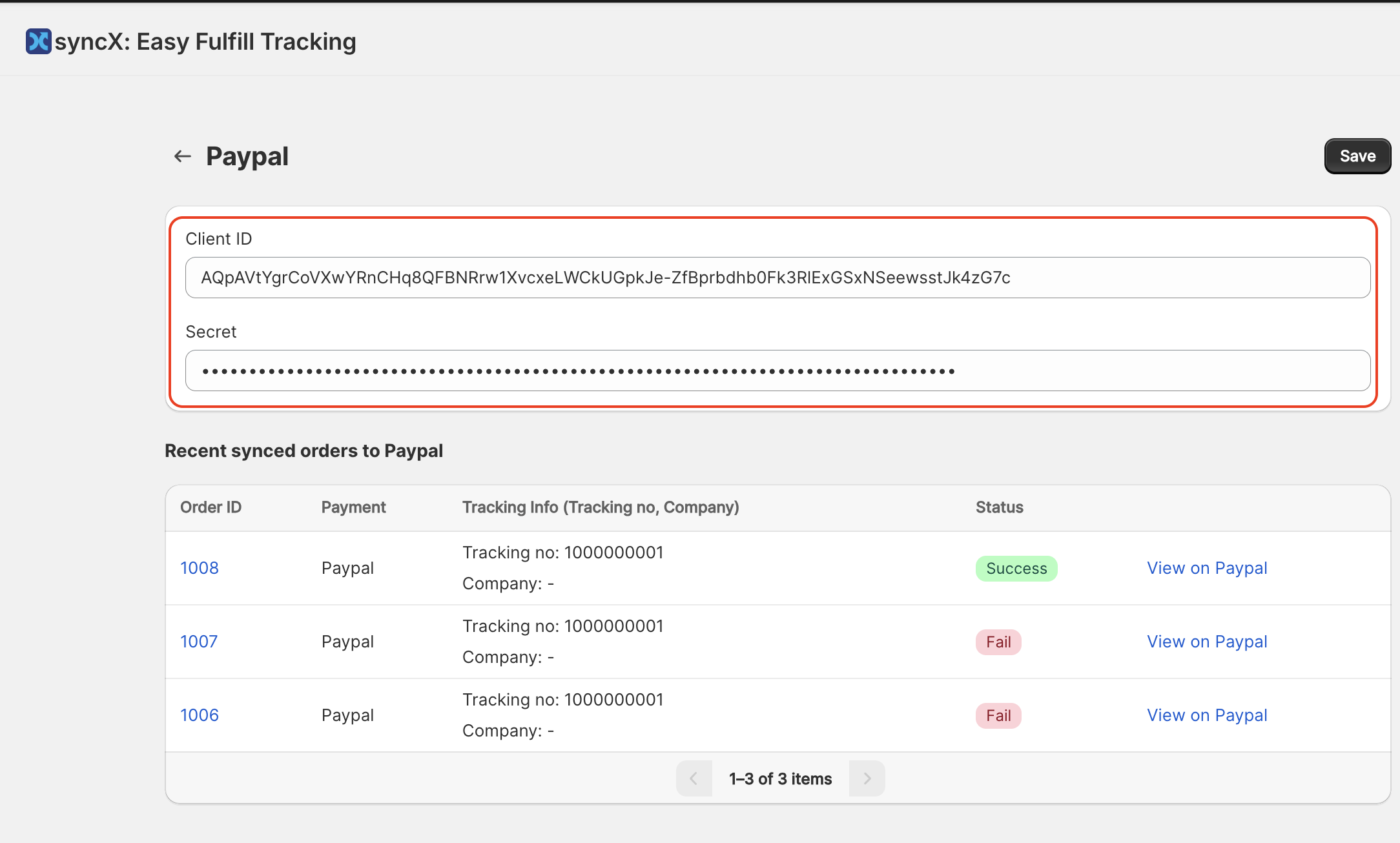
Every time the source fulfill orders, syncX: Easy Fulfill Tracking will also check if the order is present in PayPal. If the order is present, the tracking info will be updated as well.
Related Articles
Fulfillment Tracking Visibility
Control when tracking updates become visible to customers based on each carrier's shipment status. This feature allows you to delay fulfilment updates until a shipment reaches a specific tracking. When Fulfillment Tracking Visibility is enabled: ...Why syncX: Fulfill Tracking queuing take so long?
The Queuing duration is determined by the number of processes running in the background. You might notice sometimes your process runs within minutes while sometimes it will take an hour. This is because there are many other users are in the queuing ...Set up Advanced Settings
Advanced settings include order filtering, order information updates, file format configuration, order duration settings, and find/replace functionality. Paid status Select the desired paid status to filter orders accordingly. Filter by column index ...Set up Mapping and Configuration
First and most necessary step is to recognise your order by any of these: Mapping can be matched using your column number or index. Note that the column number starts at 0 (see the sample file attached below). Next, you can update your tracking ...Fulfillment Log
The Fulfillment Log interface displays order fulfillment details for the last six months. Users can export data to a CSV file for either the past three or six months. There are options to filter orders, including: "Show all" button to display all ...