Set up Mapping and Configuration
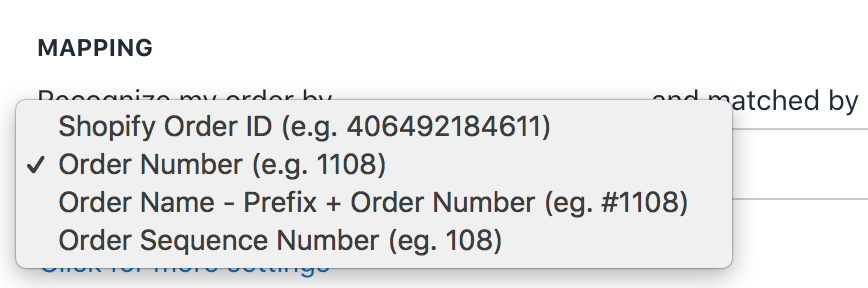
First and most necessary step is to recognise your order by any of these:
Mapping can be matched using your column number or index. Note that the column number starts at 0 (see the sample file attached below). Next, you can update your tracking number, tracking URL, and company by mapping the column number.
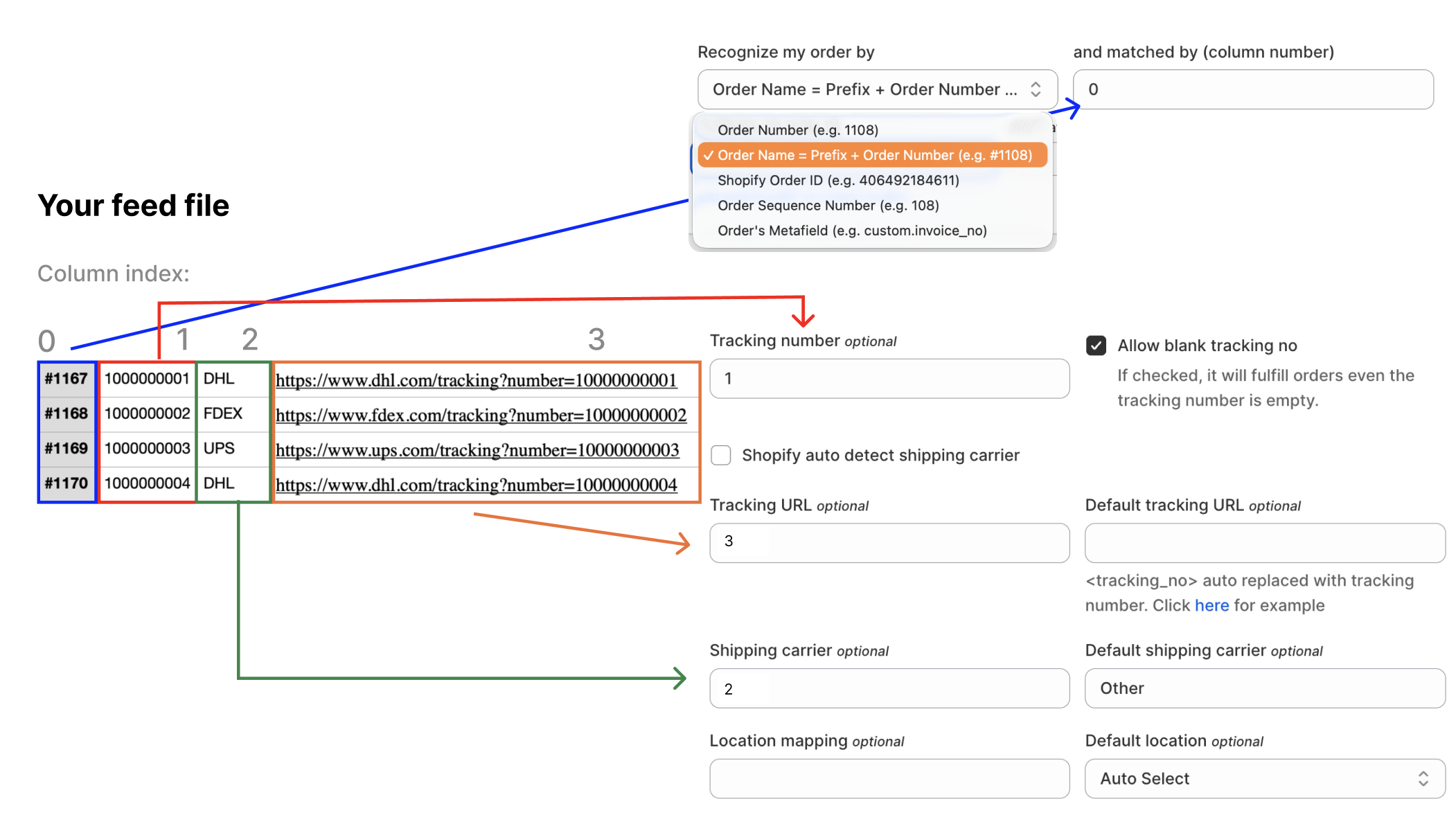
You can also set a default tracking company and URL for all orders in the order file you are about to update. However, this method is optional.
- Order
- Choose to recognize order by Order number, Shopify Order ID, Order Name, or Order Sequence Number.
- Map the order to the column number in your file.
- You can choose to add formats if your file has a prefix or suffix.
2. Tracking
- Map your Tracking info if you have it in your file.
- Just map it to their respective column numbers.
- You can add your tracking company default
- All these are optional.
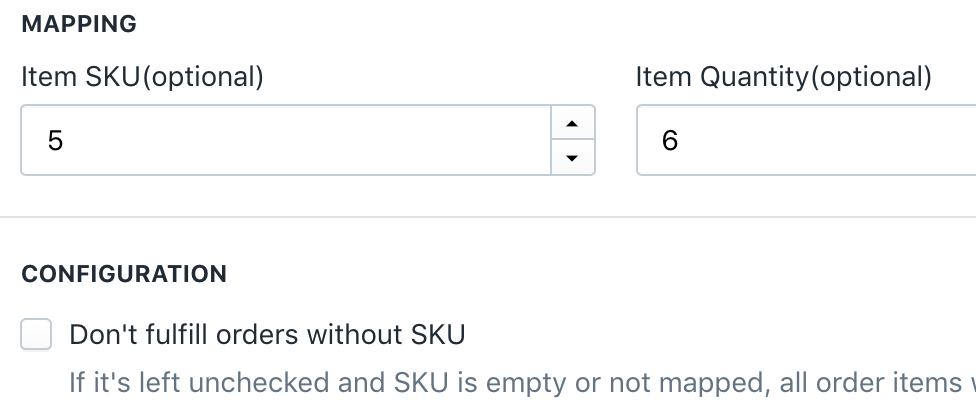
Next is mapping Item SKU and quantity. The item mapping enables partial fulfillment.
3. Item
- syncX: Fulfill Tracking has a Partial Fulfillment feature.
- To enable this, you need to fill in this part of the mapping.
- By default, all order items will be fulfilled unless checked.
When you are done, you are ready for the final step.
Related Articles
Set up Advanced Settings
Advanced settings include order filtering, order information updates, file format configuration, order duration settings, and find/replace functionality. Paid status Select the desired paid status to filter orders accordingly. Filter by column index ...Set up Source Type
syncX: Fulfill Tracking supports 6 types of Source Type as follows. You can choose any one of these Source Type: 1. FTP 2. FTP TSL 3. SFTP 4. Direct Link (URL) 5. File upload 6. Receive Email For this example, we will choose the File Upload. But if ...Schedule
Scheduling is available for all connection methods except file uploads. To enable scheduling, click the enable button and set your preferred time.What is Partial Fulfillment?
After your customer makes an order, you need to ship it. This process is referred to in Shopify as order fulfillment. Partial Fulfillment is when you are trying to deliver a part of the customer's order. To enable partial fulfillment, you must also ...Preferences
Notification email Provide the email that you would like to receive the notification, it supports multiple emails, separated by a comma. eg "abc@123.com, b2b.com" Email subscriptions Choose the subscriptions that you would like to enable to receive ...