How to create New source?
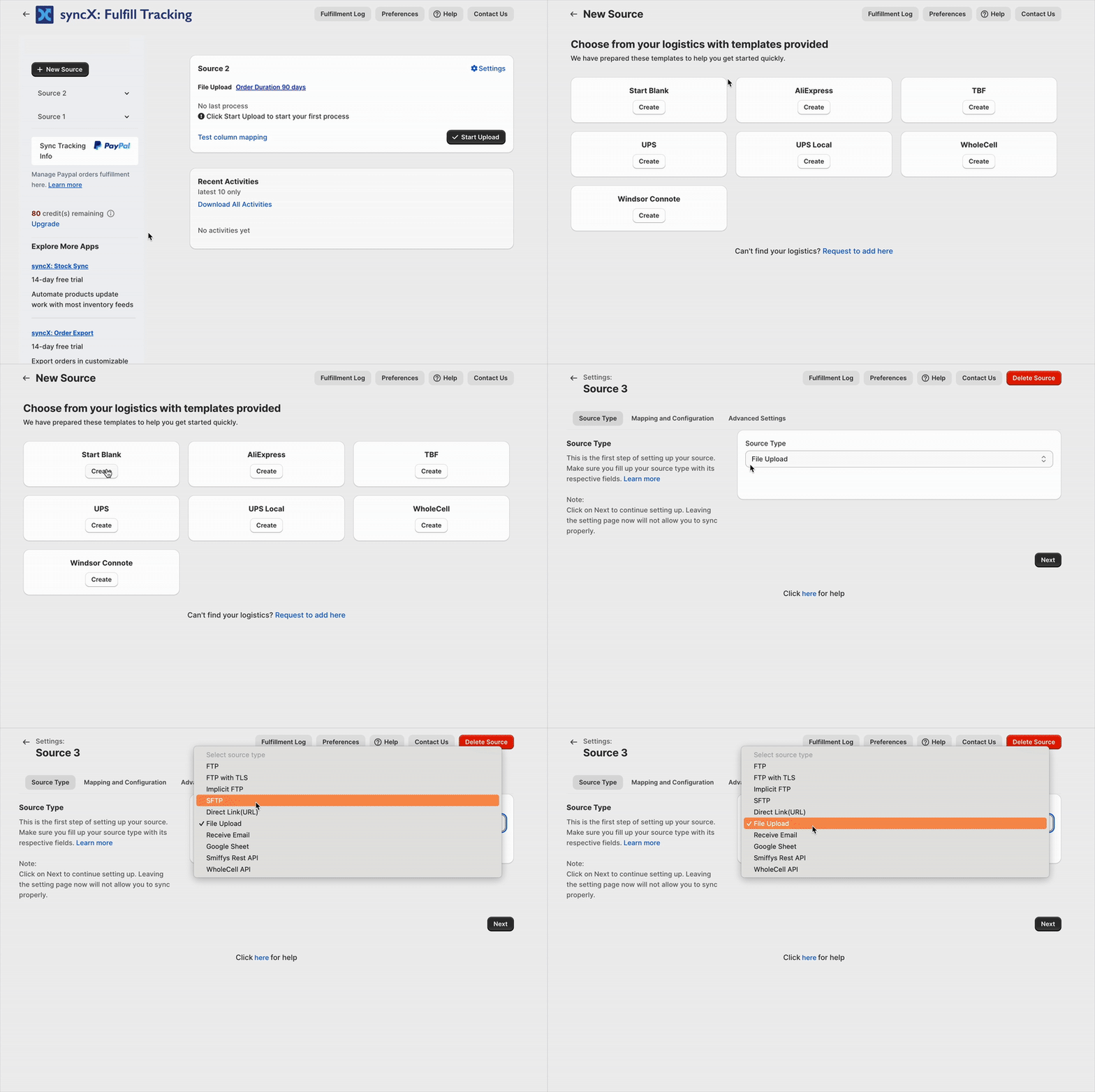
- Begin by clicking the New source.
- From the available options, you can select a logistics template that aligns with your requirements to start the process.
- Click on "Create" to proceed with your chosen logistics template.
- After creating the template, determine the source type you intend to update.
- Fill in all the required fields for your chosen source type.
Related Articles
Set up Source Type
syncX: Fulfill Tracking supports 6 types of Source Type as follows. You can choose any one of these Source Type: 1. FTP 2. FTP TSL 3. SFTP 4. Direct Link (URL) 5. File upload 6. Receive Email For this example, we will choose the File Upload. But if ...
Paypal sync tracking info
syncX: Easy Fulfill Tracking is able to sync the tracking info of orders that are fulfilled (with Easy Fulfill Tracking) to PayPal. 1. Navigate to https://developer.paypal.com/ and login with your Paypal account. 2. Navigate to the Live section to ...
What does these errors mean?
Whenever the process failed, you would see these errors. But what do they mean? Let's find out: 1. No data retrieved from the source. The source you are trying to connect to does not have any file that Fulfil Sync can process. Please ensure your ...
What is Partial Fulfillment?
After your customer makes an order, you need to ship it. This process is referred to in Shopify as order fulfillment. Partial Fulfillment is when you are trying to deliver a part of the customer's order. To enable partial fulfillment, you must also ...
Set up Advanced Settings
Advanced settings include order filtering, order information updates, file format configuration, order duration settings, and find/replace functionality. Paid status Select the desired paid status to filter orders accordingly. Filter by column index ...